SDY_Dice - Animated Dice for RPG Maker MZ
A downloadable plugin
Roll real dice on screen
SDY_Dice rolls animated dice and writes the result to variables and switches. One plugin command does it all: no image files, no scripting. Use it on the map or in battle events.
Try it first: the free trial (SDY_Dice Lite) is in the downloads below. When you upgrade, just replace the file. Your events keep working.
Features
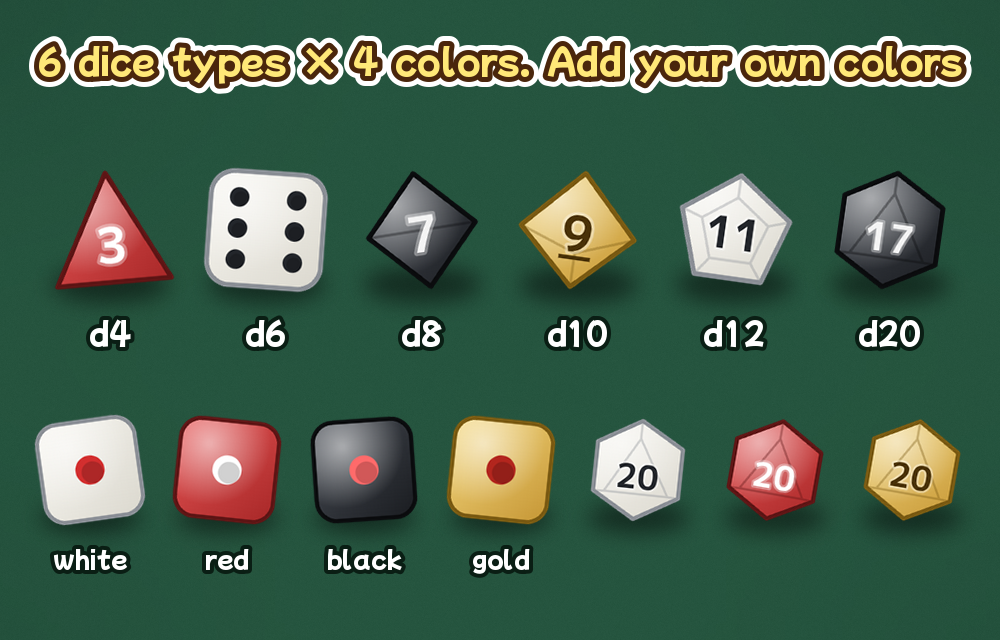
- 6 dice types: d6 (pips), d4, d8, d10, d12 and d20. Drawn by the plugin, so you don't need any images.
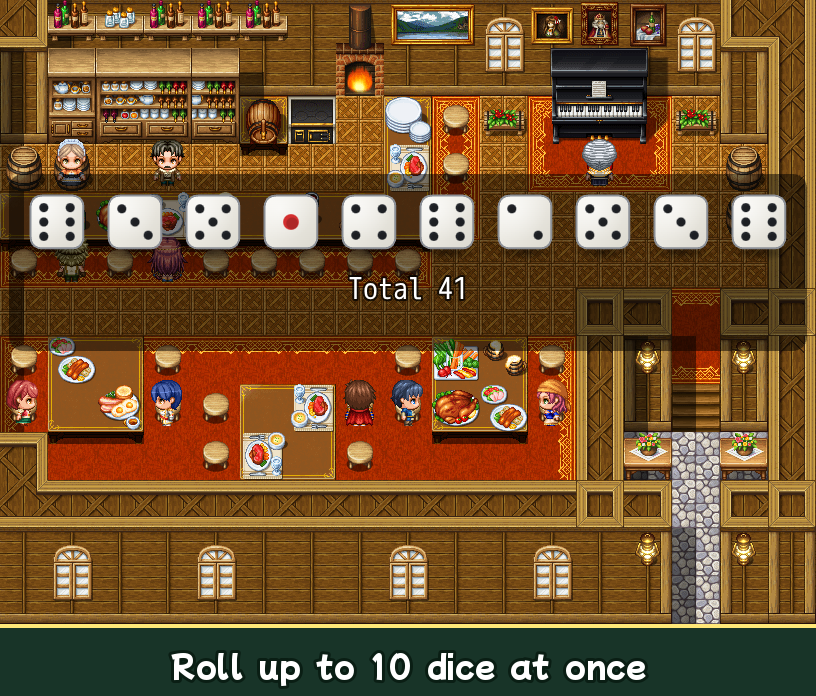
- 1 to 10 dice in one roll
- 4 colors (white, red, black, gold), plus your own colors in the plugin parameters
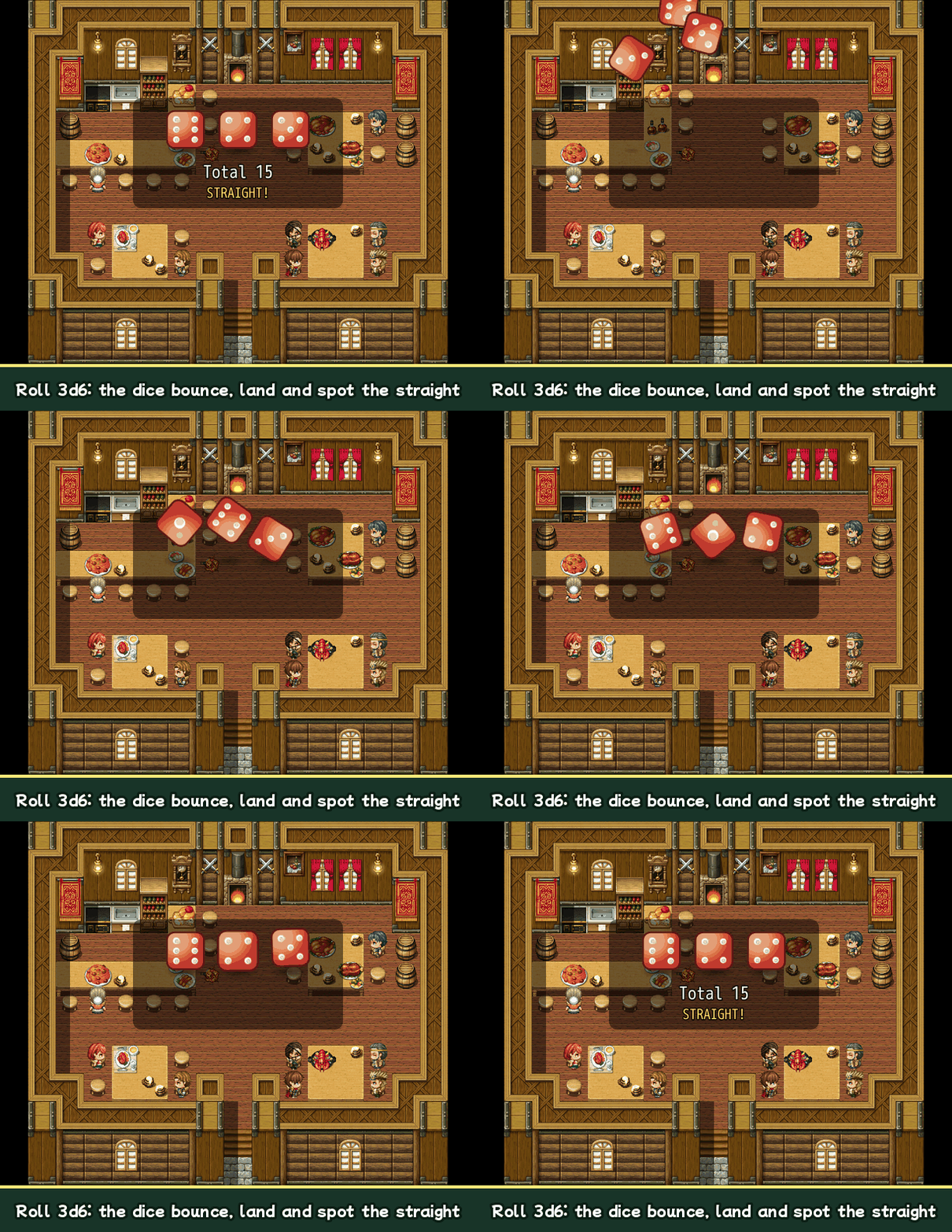
- Auto mode: the dice are thrown, bounce and land. The player can press OK to skip.
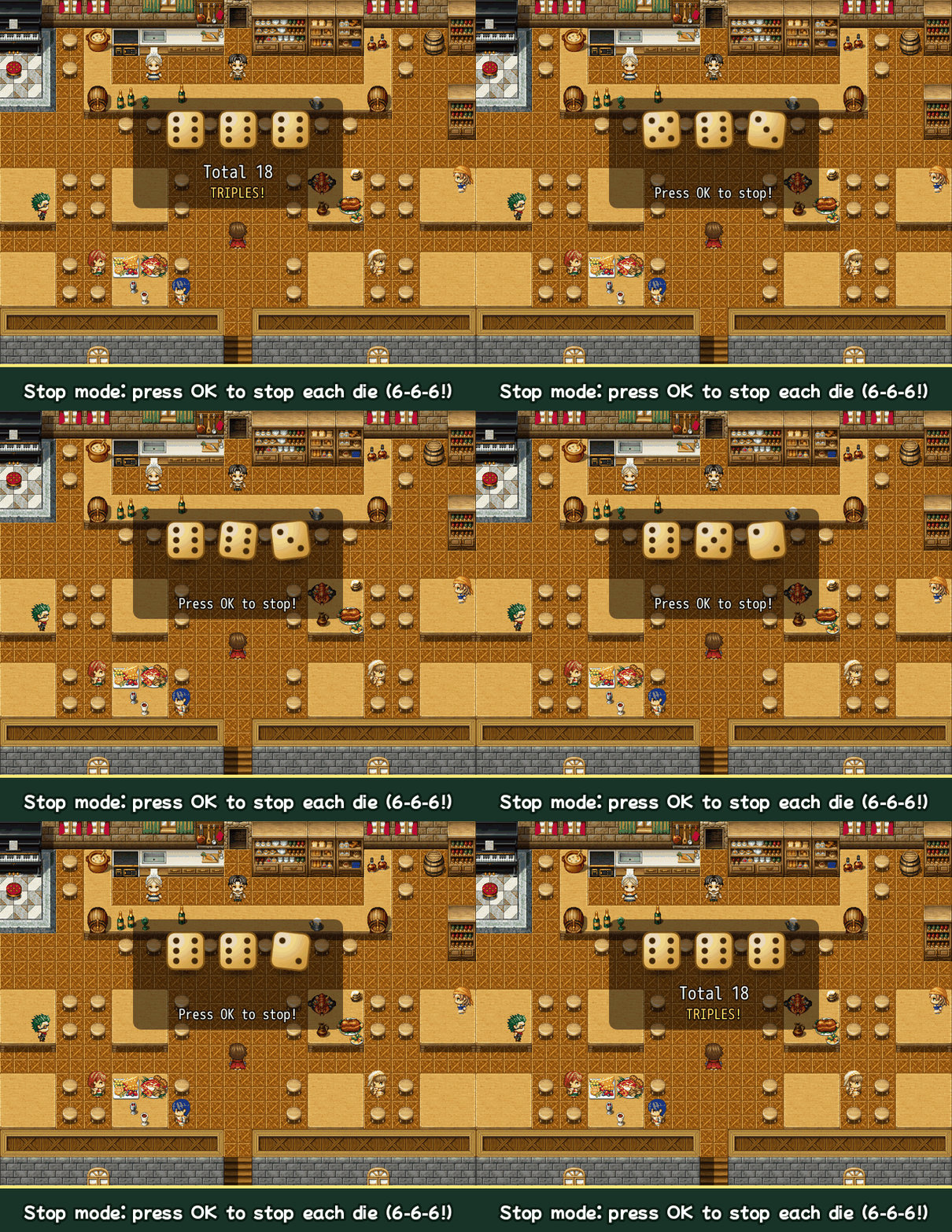
- Stop mode: the dice spin in place and the player stops each one with OK. The faces turn in order, so a skilled player can aim.
- Results into variables: the total, each die, and a pattern (pair / all same / straight)
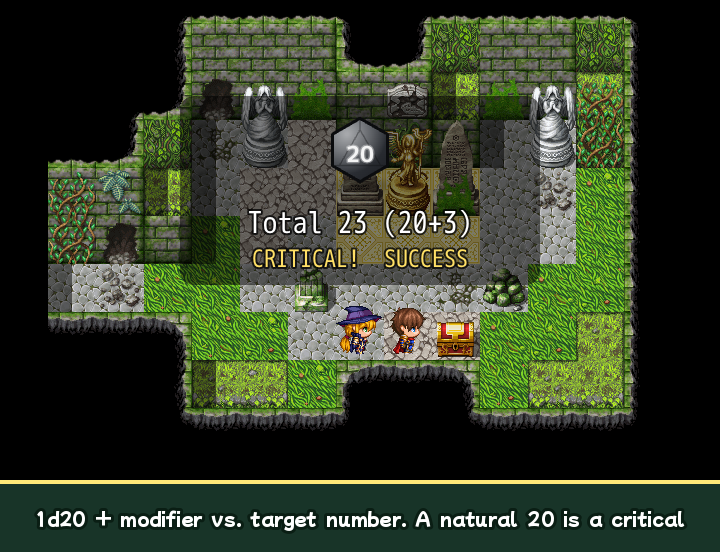
- Success checks: roll-over (D&D style, total ≥ target) or roll-under (skill style, total ≤ target). The target can come from a variable.
- Critical / fumble switches, with their own labels and sound effects
- Modifiers (2d6+3) and a modifier variable for stat bonuses
- Bias (loaded dice) and fixed faces for story scenes and tutorials
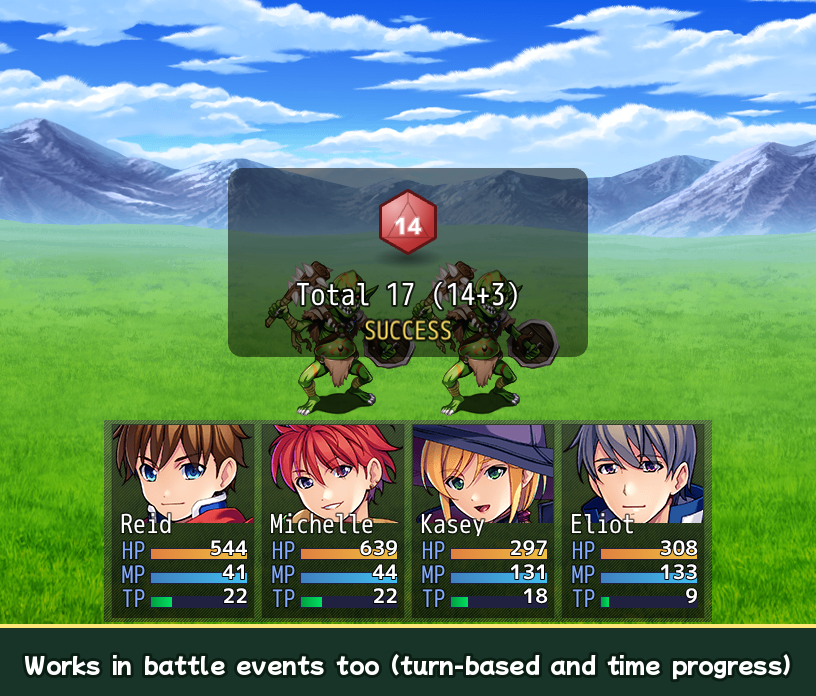
- Works in battle events (turn-based and time progress)
- SDY.Dice.r("2d6+3") in damage formulas
- All text and sound effects can be changed. Help in English and Japanese.
Use it for
Board games, cee-lo, casino minigames, lock picking, TRPG-style skill checks, loot rolls, random events.
Make a board game with SDY_Sugoroku
Roll the dice, then move a piece by the total. SDY_Sugoroku - Board Game turns any map into a sugoroku board with forks, a goal, special squares and CPU pieces. The two plugins are made to work together.
How to use
- Copy SDY_Dice.js to your project's
js/pluginsfolder and turn it ON in the Plugin Manager. - In an event, run the plugin command Roll Dice. Set the number of dice, the dice type and a Total Variable.
- The event waits until the result has been shown. Then use Conditional Branch on the variable or switches.
Free trial vs. full version
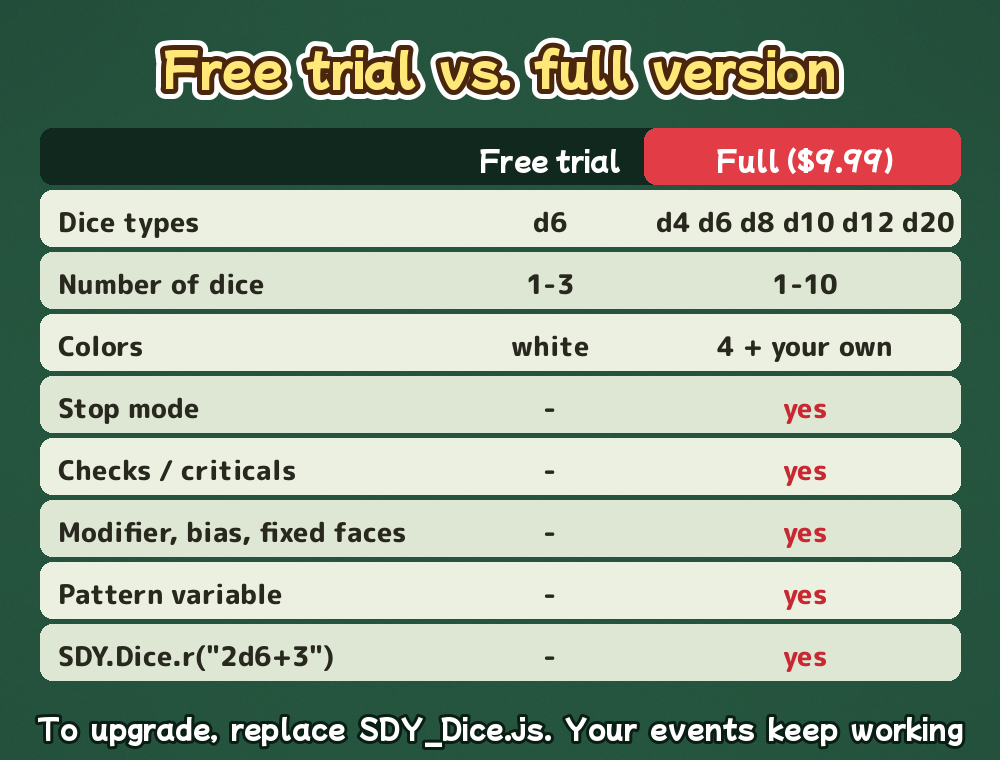
- Free trial: d6 only, 1 to 3 dice, white, auto mode, total and each die into variables
- Full version: everything above (d4 to d20, up to 10 dice, colors, stop mode, checks, criticals, modifiers, patterns, script calls)
Terms of use
- Commercial and non-commercial games are OK. Adult content is OK.
- You may edit the code for your own project.
- Do not redistribute or resell the plugin itself. Shipping it inside your finished game is fine.
- Credit is appreciated but not required ("Sunday Plugins").
Compatibility
Tested on RPG Maker MZ 1.10.0. Not for RPG Maker MV.
More from Sunday Plugins: SDY_Sugoroku - Board Game, SDY_Raising - Raising Sim, SDY_BarterShop - Barter Shop and SDY_TimingGauge - QTE minigame.
Questions or bug reports: please leave a comment on this page.
Purchase
In order to download this plugin you must purchase it at or above the minimum price of $9.99 USD. You will get access to the following files:
Download demo
Development log
Leave a comment
Log in with itch.io to leave a comment.